IPTV for iPhone and iPad in France: Top Apps
Your iPhone or iPad can give you a flexible way to watch authorised internet television without carrying another box, remote or cable. You can follow a programme at home over Wi-Fi, continue while travelling over 4G or 5G, or send the picture to a larger television through AirPlay. An iPad feels closer to a small…
Your iPhone or iPad can give you a flexible way to watch authorised internet television without carrying another box, remote or cable. You can follow a programme at home over Wi-Fi, continue while travelling over 4G or 5G, or send the picture to a larger television through AirPlay. An iPad feels closer to a small television, while an iPhone keeps your viewing setup in your pocket. Getting IPTV for iPhone and iPad in France working properly depends on three choices: the player you install, the account format you receive and the connection available where you watch. Smarters Player Lite offers a familiar starting point, IPTVX gives you a polished Apple-style library, and UHF provides deeper playlist and playback controls. Matching the player to your login details saves far more time than downloading several similar-looking apps and hoping one accepts your account.
Can You Watch IPTV on an iPhone or iPad?
You can watch authorised IPTV media on an iPhone or iPad through a compatible App Store player, an M3U or M3U8 playlist, an Xtream-style account or a secure browser portal. Your provider may send a server address with a username and password, or a complete playlist URL accompanied by an XMLTV address for programme information. The player does not normally supply channels, films or viewing rights. Smarters Player Lite identifies itself as a standalone media player, while IPTVX and UHF require you to connect your own media source. You should only add content you own or are legally entitled to access.
Why iPhone and iPad Work Well for IPTV
Your Apple device already gives you a bright display, wireless audio support, touchscreen navigation and enough processing power for live television and on-demand video. You can create favourites with a tap, search with the on-screen keyboard and move between portrait and landscape viewing without dealing with a television remote. An iPad normally feels better during a full match, film or long series episode because the larger screen gives the guide, subtitles and controls more room. An iPhone is more convenient during a commute, lunch break or trip away from home. Both devices can connect to a larger screen, so you do not need to choose one permanent viewing location.
Which iPhone and iPad Models Can Run IPTV Apps?
Compatibility depends mainly on your iOS or iPadOS version rather than the model name alone. The official WHMCS SMARTERS version of Smarters Player Lite currently requires iOS or iPadOS 15.6 or later. UHF requires iOS or iPadOS 16 or later, while individual players may raise their minimum version after major updates. Open Settings, choose General and select Software Update before installing a new player. An older iPhone or iPad can still stream smoothly when the operating system remains supported, enough storage is available and the video format is compatible with the hardware.
Best IPTV App for iPhone and iPad in France
Smarters Player Lite is a practical starting point when you want a familiar interface and straightforward playlist entry. IPTVX is better suited to you when design, favourites, a visual EPG and Apple-device synchronisation matter. UHF is useful when you want stronger search, multiple playlists, modern touch controls and frequent feature updates. No player is best for every user. Your preferred app should accept the credentials you receive, feel comfortable on your screen and offer the features you will actually use. A free trial with your own playlist gives you a more reliable answer than a generic competitor ranking.
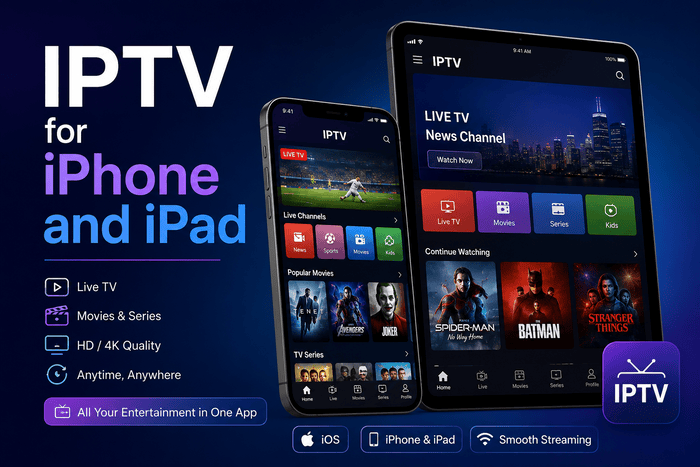
Smarters Player Lite for iPhone and iPad
The official Smarters Player Lite listing in the French App Store is published by WHMCS SMARTERS. It showed a 4.7 rating from about 211,000 ratings during the latest review, requires iOS or iPadOS 15.6 or later and lists an optional €1.99 premium purchase. The app supports M3U, JSON and other common playlist formats. Smarters Player Lite works well when you want a simple library and do not need extensive customisation. Check the developer name before downloading because several unrelated apps use almost identical wording, icons and search terms. The genuine WHMCS SMARTERS listing is the version referenced by many established setup guides.
IPTVX for iPhone and iPad
IPTVX is designed around the Apple ecosystem and supports Xtream API, M3U, M3U8, Plex and SMB sources. The French App Store showed a 4.3 rating from around 3,500 ratings. Features include a grid EPG, favourites, continue watching, catch-up, Picture in Picture, AirPlay 2, multiple playlists, parental controls, subtitle selection and iCloud synchronisation. You may prefer IPTVX when you use an iPhone, iPad and Apple TV and want a similar interface across all three. The app feels more like a modern streaming library than a basic playlist reader, although some advanced functions require an in-app purchase.
UHF for iPhone and iPad
UHF supports M3U8, Xtream, Stremio and Jellyfin sources, along with global search, a touch-focused EPG and multiple playlists. The French App Store showed a 4.3 rating from more than 150 ratings and listed monthly, annual and lifetime purchase options. UHF requires iOS or iPadOS 16 or later and includes French among its supported languages. The developer continued releasing performance, search, subtitle, DVR and playlist improvements during 2026. Recent updates also added channel-zapping gestures and the ability to download supported DVR recordings for offline viewing. Frequent development can be valuable, although any major app update may occasionally introduce new bugs that require another patch.
Which Player Should You Choose?
Choose Smarters Player Lite when you want the easiest route and prefer an app already recommended by 4K French IPTV. Choose IPTVX when you value a polished visual library, iCloud synchronisation and a detailed guide. Choose UHF when you want advanced playlist organisation, broad search and active development. Your login format should guide the final choice. Xtream credentials usually organise live categories, films, series and programme data more cleanly. M3U offers greater portability and can be opened by many different players, although you may need to enter a separate XMLTV address for the EPG.
What You Need Before Installation
You need a supported iPhone or iPad, a reliable Wi-Fi or mobile-data connection and valid account details for content you are authorised to watch. Keep the activation message available while you set up the player so you can copy the server address, username, password or M3U link accurately. Make sure the device has enough free storage for the app, cached artwork and programme data. A nearly full iPhone can feel slow when importing a large catalogue, downloading an update or switching between a programme guide and on-demand library.
How to Install an IPTV Player
Open the App Store and search for the exact app name. Check the publisher, ratings, compatibility requirements, recent update history and in-app purchase details before choosing Get. Similar names do not mean the apps come from the same company. Open the player after installation and grant local-network access only when you plan to use AirPlay, Chromecast or another device-discovery feature. A normal iOS setup does not require jailbreaking, unknown profiles or software from outside the App Store.
How to Set Up Smarters Player Lite
Open Smarters Player Lite and choose the option for adding your own account or playlist. Enter a short profile name and select the login method matching the details supplied to you. The wording may vary between versions, so follow the fields shown inside the app rather than an old screenshot from another website. Leave the app open during the first import. A smaller account may load quickly, while a large catalogue containing live categories, films, episodes, artwork and programme records can take longer. Closing the app repeatedly during the first synchronisation may leave sections incomplete.
How to Add Xtream Codes on iPhone or iPad
An Xtream-style login normally contains a server URL, username and password. Enter the server exactly as supplied, including the opening http:// or https:// and any port number. Avoid adding another slash or changing the protocol unless your provider gives you a different address. Copied spaces are a common reason for failed logins. Tap inside each field and check the beginning and end before saving. Once connected, the player may automatically separate live television, films, series and programme-guide information.
How to Add an M3U Playlist
Choose the M3U, remote playlist or playlist URL option and paste the complete address. Give the profile a clear name such as “iPhone” or “iPad.” Add the XMLTV address separately when programme data is supplied through another link. Your M3U address may contain a username, password or private token. Treat the full URL as sensitive information. Avoid posting it in a public group, including it in a screenshot or saving it in a shared note.
Xtream Codes or M3U: Which Format Is Better?
Xtream credentials often give you a cleaner library because the player receives structured sections for live channels, films, series and guide data. Entering a server, username and password can also be easier than handling one very long URL on a small phone screen. M3U remains useful when you want to test the same authorised playlist across several players. It is also a sensible fallback when your preferred app does not accept an Xtream login. Ask your provider to supply the correct format instead of entering private credentials into an unknown online converter.
How Long Does Setup Take?
A straightforward installation often takes five to ten minutes when the app is compatible and your details are ready. Real setup time can be longer when the device needs an update, a password contains a typing mistake or the library includes thousands of entries. Competitor pages sometimes promise an exact three-minute setup, but your network speed, playlist size and chosen app all influence the first load. Allow the import to finish, open several unrelated streams and check the guide before assuming something has failed.
How to Use the EPG on iPhone and iPad
An Electronic Programme Guide shows what is playing now and what follows later. Xtream-compatible apps may retrieve guide information automatically, while an M3U account may require a separate XMLTV URL. IPTVX can detect an EPG supplied by the server or accept another guide address manually. An iPad displays a grid guide more comfortably because more channels and time slots fit on screen. On an iPhone, creating favourites and using search may feel quicker than moving through a wide schedule.
How to Fix an EPG Showing the Wrong Time
A guide appearing one hour early or late normally points to a time-zone or daylight-saving difference. Open Settings, choose General, select Date & Time and confirm that automatic time is enabled with the correct French region. When the system clock is accurate, look for an EPG offset inside the player. Adjusting the guide is safer than deleting a working account and preserves your favourites, category settings and viewing history.
Why an EPG Can Remain Empty
Live channels can play normally even when the programme grid contains no data. An empty guide often means the XMLTV address is missing, expired or mapped to channel identifiers that do not match the playlist. Refresh the source and leave the app open long enough for a large guide to download. No player can create accurate schedules when the account does not supply programme information.
How to Use Picture in Picture
Picture in Picture keeps a small video window above another app while you answer a message, browse the web or check a score. IPTVX includes Picture in Picture, while UHF also supports modern multitasking and playback controls. An iPad gives you the most comfortable PiP experience because the floating window leaves enough space for another app. When playback stops after leaving the player, check whether PiP is enabled inside the app and whether the selected stream supports background video.
How to Watch IPTV on a Television With AirPlay
Start playback, select the AirPlay control and choose an Apple TV, compatible smart television or Mac connected to the same Wi-Fi network. Apple supports both direct video streaming and full-screen mirroring from an iPhone or iPad. AirPlay is convenient for occasional big-screen viewing, but it places more work on your wireless network. Your phone receives the stream and sends video across the local connection, so weak Wi-Fi can create pauses even when playback looks smooth on the device itself.
AirPlay or Screen Mirroring?
Direct AirPlay sends supported video to the receiving screen while your iPhone or iPad acts mainly as a controller. Screen mirroring copies everything visible on your device, including menus, notifications and the Home Screen. Use direct AirPlay when the player provides a casting button because the result usually looks cleaner. Use screen mirroring as a fallback when no direct option appears, and enable a Focus mode before showing a personal screen on the family television.
Can You Use Chromecast From an iPhone?
Some IPTV apps provide Chromecast support even though AirPlay is Apple’s native solution. UHF offers modern cross-device playback features, while other apps may support AirPlay only. Check the app description rather than assuming every iOS player can cast to a Chromecast receiver. The phone, tablet and receiving device should normally use the same network. When the casting icon is missing, confirm that the player has local-network permission and that your television or streaming device supports the selected protocol.
Wi-Fi, 4G or 5G for IPTV?
Wi-Fi is normally the better choice for long viewing sessions because it avoids using your mobile allowance. A strong 4G or 5G connection can work well while travelling, but reception can change quickly inside trains, concrete buildings, rural areas and crowded city centres. ARCEP counted more than 73,900 commercially active 5G sites in metropolitan France as of March 31, 2026, including more than 45,900 using the 3.5 GHz band. Real speed still depends on your operator, distance from the antenna, local congestion and the building around you.
How Much Mobile Data Can IPTV Use?
Data consumption depends on bitrate rather than the label shown in an app. A stream averaging 5 Mbps uses about 2.25 GB per hour. A 10 Mbps stream uses roughly 4.5 GB per hour, while a 15 Mbps source can consume around 6.75 GB in the same period. A full sporting event with pre-match and post-match coverage can therefore use several gigabytes. Check your mobile plan before watching over 4G or 5G, especially when you have a limited allowance or are travelling outside your normal roaming area.
How to Reduce Mobile Data Use
Open Settings, choose Cellular and review the amount used by your IPTV player. Apple allows you to disable mobile access for individual apps, choose Low Data Mode and turn off data roaming when necessary. Low Data Mode reduces background network activity and may lower streaming quality in supported apps. Select an HD stream instead of a high-bitrate 4K option when your player provides a choice. On a smaller iPhone screen, the visual difference may be modest while the reduction in data consumption can be substantial.
How Wi-Fi Assist Can Affect Your Data Allowance
Wi-Fi Assist can switch an iPhone to mobile data when the wireless connection becomes weak. The feature helps keep pages and supported apps online, but it may increase mobile usage without you immediately noticing. Apple says Wi-Fi Assist is enabled by default on supported devices. Open Cellular settings and scroll down when you want to disable Wi-Fi Assist. Turning it off can prevent unexpected mobile use at home, although playback may stop instead of moving automatically from weak Wi-Fi to cellular.
Can You Watch IPTV for iPhone and iPad Travelling?
You can watch through an iPhone or cellular iPad wherever your network plan, account terms and content rights permit access. Hotel Wi-Fi may be crowded, while trains and motorways can move you between areas with different signal strength. Turn off data roaming when you travel outside the coverage included with your plan and want to avoid extra charges. Apple provides separate cellular-data and roaming controls on iPhone and Wi-Fi + Cellular iPad models.
iPhone or iPad for Live Sport?
An iPhone is easier to carry and works well when you want to follow an event away from home. Earphones, one-handed controls and mobile data make short sessions convenient. An iPad gives you a larger picture, a clearer scoreboard and more comfortable programme navigation. For a full football, rugby or tennis match, an iPad on a stand often feels closer to a compact television.
Can You Watch IPTV in 4K on iPhone or iPad?
A player may accept a 4K source, but the final picture depends on the screen resolution, video decoder, bitrate and original feed. Many iPhone and iPad displays do not show a native 3840 × 2160 image pixel for pixel, so the video may be scaled to the panel. A well-encoded Full HD stream can look better than a heavily compressed source labelled 4K. Choose quality based on visible results, network stability and data consumption rather than the category name alone.
How to Save Battery While Streaming
Video playback keeps the display, wireless connection and video decoder active. Lower screen brightness, close unnecessary apps and use Wi-Fi when mobile reception is weak. A phone searching constantly for a better mobile signal can lose battery more quickly. Low Power Mode reduces background activity and some visual effects, which can help during a long journey. Keep a charger or power bank nearby for a full match, film or extended AirPlay session.
Why Your iPhone or iPad Gets Warm
Your device may feel warm while decoding HD or 4K video, using mobile data and powering a bright display. Casting through AirPlay or charging at the same time can add more heat. Move the device away from direct sunlight, remove a thick case temporarily and stop other demanding tasks. Pause playback when the screen dims automatically or the device displays a temperature warning.
How to Fix IPTV Buffering on iPhone or iPad
Open an established video service on the same device and network. When several apps pause, move closer to the router, restart Wi-Fi and stop large downloads on other devices. Switching briefly between Wi-Fi and mobile data can help you identify whether the home connection is responsible. When one channel freezes but other streams work, the source is more likely to be at fault. Problems across every category can involve weak connectivity, an expired account, excessive simultaneous connections or a busy service.
Why Fast Internet Can Still Buffer
A speed test measures your connection to a nearby test server, not the full route to every video source. Server congestion, unstable routing, a sudden increase in bitrate or an app-specific decoding problem can still interrupt playback. Look for repeatable patterns. Evening-only problems may indicate congestion. One failing channel points toward the source. One app failing while another handles the same authorised account suggests player compatibility.
Invalid Username or Password
Enter the server URL, username and password manually rather than relying on autofill. Check capital letters, punctuation, spaces and any port number included in the server address. An M3U account will not necessarily work inside an Xtream login form. Confirm the format you received before reinstalling the app or resetting your device.
M3U Playlist Not Loading
Compare the full playlist address with the original activation message. A copied line break, expired token or missing character can leave the library empty. Try the authorised link in another trusted player as a diagnostic check. When every app fails, the account or source needs attention. When only one player fails, recreate the profile or choose another playback engine when available.
IPTV App Keeps Closing
Update iOS or iPadOS and check the App Store for a newer version of your player. Restart the device before deleting the app. Developers continue releasing crash, playback and playlist fixes, so a current build may resolve a problem without removing your account. An unusually large catalogue can also slow an app. Ask for a smaller playlist containing the languages and categories you use. A focused library opens faster and is easier to navigate.
Picture Works but You Hear No Sound
Try another stream and select a different audio track when the player offers one. One source may use a language track or codec that behaves differently from the rest. Disconnect Bluetooth headphones and check the device volume. During AirPlay, confirm that sound is being sent to the television or Apple TV rather than another paired speaker.
Sound Works but the Screen Is Black
Test another authorised channel and use another player when possible. A source may use a video format or codec that one playback engine handles poorly. When every stream turns black only after AirPlay starts, stop casting and test directly on the iPhone or iPad. Successful local playback points toward the wireless display path rather than the account.
AirPlay Cannot Find Your Television
Confirm that your iPhone or iPad and the receiving television use the same Wi-Fi network. Make sure AirPlay is enabled on the Apple TV or compatible smart television, then restart Wi-Fi on both devices when discovery still fails. A guest network may prevent devices from seeing each other even when both have internet access. Connect them to the same main network or review isolation settings on the router.
The App Is Missing From the App Store
App availability can change when a developer removes a product, releases a replacement or raises the minimum operating-system version. An old competitor guide may therefore recommend an app that no longer appears in France. Do not install an unknown configuration profile or download software from an unverified website. Choose another maintained App Store player that accepts the same M3U or Xtream details.
Can You Download Programmes for Offline Viewing?
Offline viewing depends on the app and source permissions. IPTVX advertises an offline mode on iOS, while recent UHF updates added the ability to download supported DVR recordings to an iOS device. Downloaded programmes occupy local storage and may stop working after an account change or expiry. Check your available space before saving several films or long sporting events.
Can You Use One Account on iPhone and iPad?
You can usually save the same credentials on both devices, but simultaneous playback depends on the number of active connections included with your plan. Starting a second stream may stop the first when only one connection is allowed. The current 4K French IPTV website says one connection is included and advertises a second simultaneous connection as an optional extra. Confirm current plan terms before relying on two screens at once.
Is IPTV Legal on iPhone and iPad in France?
IPTV is a legal delivery technology used by broadcasters, internet providers and licensed streaming platforms. Legality depends on whether the service has permission to distribute the channels, films, series or sporting events it offers. ARCOM reported in January 2026 that 11% of French internet users said they used illicit IPTV services. The regulator also warns that unauthorised services may involve copyright infringement, malware and personal-data risks. Use official broadcasters, licensed platforms or media you are legally allowed to access.
How to Choose a Reliable iPhone or iPad Service
Ask which iOS player and login format are supported before paying. A useful provider should explain whether you will receive an Xtream login, M3U link or web-player account and should tell you how many simultaneous connections are included. Run a trial on your own iPhone or iPad during the hours when you normally watch. Check channel changes, EPG accuracy, AirPlay, Picture in Picture, mobile-data behaviour and support response. Real performance on your network matters more than promises of universal compatibility or zero buffering.
Using 4K French IPTV on iPhone and iPad
The current 4K French IPTV website recommends Smarters Player Lite or IBO Player for iPhone, iPad and Apple TV users. The site also advertises a free 24-hour trial without a bank card, French-language support seven days a week and remote setup help through WhatsApp. Tell support which device and player you plan to use before activation. A message such as “iPad Pro with IPTVX and Xtream login” or “iPhone with Smarters Player Lite” gives the support team enough information to send relevant instructions.
Frequently Asked Questions
What Is the Best IPTV App for iPhone?
Smarters Player Lite is a practical option when you want a familiar player with a large review history. IPTVX offers a more polished Apple-style library, while UHF provides stronger search, playlist management and frequent updates. Your login format and preferred interface should decide the final choice.
What Is the Best IPTV App for iPad?
IPTVX and UHF make good use of the larger iPad screen through detailed guides, categories and multitasking features. Smarters Player Lite remains easier when you only need straightforward account entry.
Does IPTV Work Without Jailbreaking?
You can install maintained players directly from the App Store. Jailbreaking is unnecessary and can create security, stability and update problems.
Can You Use Xtream Codes on iPhone?
Compatible players can accept a server URL, username and password. Enter every detail exactly as supplied and keep any port number included in the server address.
Can You Use an M3U Playlist on iPad?
Several iPad players support M3U and M3U8 URLs. You may need a separate XMLTV address when you want a programme guide.
Can You Watch IPTV Through Safari?
A secure web portal can work in Safari when it has been designed for mobile browsers. A dedicated app normally gives you better category management, favourites, AirPlay and EPG controls.
Can You Watch IPTV Over 5G?
A strong 5G connection can handle HD and compatible high-bitrate streams. Performance changes according to location, operator coverage, congestion and signal strength, while video can consume several gigabytes per hour.
Can You Send IPTV From an iPhone to a Smart TV?
AirPlay can send supported video or mirror your screen to an Apple TV, compatible smart television or Mac. Both devices normally need to use the same Wi-Fi network.
Why Does Playback Stop When You Leave the App?
The player or selected stream may not support Picture in Picture or background video. Enable PiP inside the app and device settings, or keep the player open during playback.
Why Is the EPG One Hour Behind?
The device time zone or app EPG offset is probably incorrect. Set the iPhone or iPad to automatic French time, then adjust the guide offset when the problem remains.
How Much Internet Speed Do You Need?
Around 10 Mbps reaching the device is a practical target for HD. Full HD benefits from 15 to 20 Mbps, while a stable 25 Mbps or higher connection gives demanding streams more headroom when other devices share the network.
Can You Use the Same Account on Apple TV?
You can enter the same credentials on a compatible Apple TV player. Simultaneous viewing depends on the number of active connections included with your plan.
Is Smarters Player Lite Free?
The French App Store lists Smarters Player Lite as a free download with an optional €1.99 premium purchase. Pricing can change, so check the current listing before buying.
Can 4K French IPTV Help With Setup?
The website advertises French-language assistance through WhatsApp, Telegram and email. Share your device model, operating-system version and chosen player so the instructions match the app on your screen.
Final Thoughts
Your IPTV for iPhone or an iPad gives you a flexible way to watch authorised internet television at home or while travelling. Smarters Player Lite offers an accessible starting point, IPTVX provides a polished Apple experience and UHF gives you deeper search and playlist controls. Choose the player around your login format, protect your credentials and test over the connection you normally use. Wi-Fi is better for long sessions, while 4G or 5G gives you useful flexibility when you monitor data consumption. Once the app, account and network work well together, you can move between an iPhone, iPad and AirPlay television without rebuilding the setup each time.