TiviMate IPTV: France’s Smart Streaming Guide for 2026
You may want an easier way to browse live channels on Android TV or Firestick. IPTV for TiviMate IPTV brings your playlist, EPG, favourites, and video-on-demand library into one remote-friendly interface. The layout feels similar to a modern television box. Your final experience still depends on the player, provider, device, and home network. TiviMate IPTV…
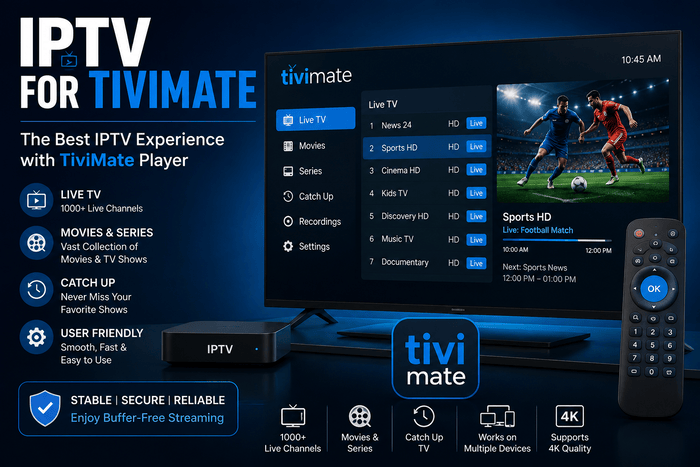
You may want an easier way to browse live channels on Android TV or Firestick. IPTV for TiviMate IPTV brings your playlist, EPG, favourites, and video-on-demand library into one remote-friendly interface. The layout feels similar to a modern television box. Your final experience still depends on the player, provider, device, and home network. TiviMate IPTV has more than five million downloads on Google Play. The official listing supports M3U playlists, Xtream Codes, Stalker Portal, catch-up, recording, parental controls, and multi-view. The app received an update on 22 June 2026. You must add your own content source as TiviMate IPTV does not supply channels.
How Does IPTV for TiviMate IPTV Work?
TiviMate is an IPTV player designed for large television screens. You get your IPTV subscription login details and the app takes that account data and puts it into organized categories. The software runs on Android TV or Fire OS and your TV shows the selected stream. Each entity has a different role in the viewing process. The provider stores your playlist and account info . The router sends the video to the streaming device and the media engine decodes the signal. Fast fibre cannot repair an overloaded server. A stable server cannot overcome weak Wi-Fi inside your home.
Why Should You Choose TiviMate for IPTV?
You save time when browsing a large IPTV library. The TV guide displays current programmes and upcoming programmes and channels in structured groups. Search helps you find content without scrolling through hundreds of entries. Favourites place your regular channels near the top of the menu. TiviMate IPTV works well when you want an Android TV IPTV player that feels similar to traditional television. You can hide unwanted categories, rearrange groups, and manage several playlists. Multi-view lets you open more than one stream when your device and subscription allow simultaneous connections. A stronger streaming box usually handles that feature more smoothly.
Which Devices Support TiviMate IPTV?
TiviMate IPTV mainly supports Android TV, Google TV, Nvidia Shield, and compatible Android boxes. You can also install TiviMate on Firestick through the official APK. Samsung Tizen, LG webOS, iPhone, and Apple TV do not offer a native TiviMate app. An external Android device connected through HDMI can solve that limitation. The television brand does not decide compatibility on its own. The operating system inside the connected streaming device matters more. A Samsung Smart TV can run TiviMate IPTV through a Firestick. The Firestick remote then controls the entire interface.
| Device | Installation Method | Recommended Use |
| Android TV or Google TV | Google Play | Simple setup and smooth remote navigation |
| Nvidia Shield | Google Play | 4K streaming, large playlists, and multi-view |
| Fire TV Stick | Official APK through Downloader | Compact option for an HDMI television |
| Samsung or LG Smart TV | No native application | Connect an Android box or Firestick |
| iPhone or Apple TV | Not available natively | Use an IPTV player made for iOS |
Xtream Codes, M3U, or Stalker Portal?
Xtream Codes uses a server address, username, and password. As a rule, the server provides live channels, movies, series and EPG information in sections. Entering three short fields is easier with a television remote. You should copy every detail without extra spaces. An M3U URL places stream information inside one long address. It works with many IPTV players, although you may need a separate XMLTV link for the programme guide. Stalker Portal uses a portal address connected to a compatible account. Always choose the format supplied by your IPTV provider.
| Format | Required Details | Main Advantage |
| Xtream Codes | Server, username, and password | Categories and EPG often load automatically |
| M3U | Complete playlist URL | Broad compatibility with different players |
| Stalker Portal | Portal address and account access | Suitable for selected IPTV platforms |
How Do You Install TiviMate on Android TV or Firestick?
Open Google Play on your Google TV or Android TV and search for TiviMate IPTV Player. Check that Armobsoft FZE appears as the developer before installing the app. That step helps you avoid unofficial copies with similar names. Google Play also manages future updates automatically. On Firestick, install Downloader from the Amazon Appstore. Temporarily allow permission to install, then use the official Downloader code or APK address provided by TiviMate IPTV. Once you install the app , delete the installation file to free up the storage space . If you do not need permission for unknown apps , turn it off .
How Do You Add an IPTV Subscription to TiviMate?
Choose “Add Playlist” when opening TiviMate for the first time. Select Xtream Codes when your provider gives you a server URL, username, and password. Give the playlist a clear name, such as “French IPTV Living Room.” Allow the app to finish loading before closing it. When you receive an M3U URL, paste the full address without changing any characters. Keep the link private because it often contains your account information. A wrong port number, missing symbol, or accidental space can block the login. If the same credentials do NOT work on multiple devices, contact support.
How Do You Configure EPG, Favourites, and Premium Features?
The EPG connects each channel with programme times, names, and descriptions. Xtream Codes can load guide information automatically. An M3U playlist may require a separate XMLTV address inside the EPG settings. Select the Europe/Paris timezone when programme times appear incorrect. Hide groups you never watch and add regular channels to your favourites. TiviMate Premium unlocks extra features depending on the current subscription plan. Payment only covers the software functions. No television channels or IPTV content are included with the Premium purchase.
What Internet Speed Do You Need in France?
Around 42.8 million premises were eligible for fibre in France, in the first quarter of 2026. Arcep reported 27.7 million fibre subscriptions, representing about 84% of fixed internet connections. Fibre coverage reached close to 95% of premises. Strong national coverage still does not guarantee reliable Wi-Fi in every room.
A high-speed package may struggle when the router sits behind several walls. Objects like televisions, closed cabinets and other people’s networks can weaken the signal. If your router is close to your streaming device, use ethernet. If you’re using Wi-Fi, move the router closer and stop large downloads.
How Can You Reduce Buffering on TiviMate?
Test another channel and then open a well-known streaming app. When every service slows down, your home network becomes the most likely cause. Restart the router and device before changing several settings. Try an HD stream when the 4K version pauses repeatedly.
The buffer setting can absorb small changes in connection speed, but it cannot repair an overloaded IPTV server. Hardware decoding usually works well on recent Android devices. An external player may solve selected black-screen or audio problems. Change one setting at a time so you can identify the real improvement.
Why Should You Use French IPTV With TiviMate?
French IPTV advertises more than 15,000 live channels and over 50,000 movies and series. The site also offers European servers, French-speaking support 7 days a week and a free 24 hour trial. You may receive login details compatible with TiviMate IPTV , depending on the selected package. Treat catalogue figures as provider claims and verify them during your trial. Use the trial under normal household conditions. Watch your main channels during the evening, open the VOD library, and check the French EPG. Measure how long the playlist takes to load after a full restart. A real evening test gives you better evidence than a short demonstration.
Are IPTV and TiviMate Legal in France?
IPTV technology and the TiviMate player are legal. Legality depends on the rights connected to the streams you add. Arcom explains that access to channels, films, or sporting events without permission may be illegal. The authority also reports that 11% of French internet users say they use an illegal IPTV service. Check the provider’s identity, terms, and distribution rights before paying. A subscription fee does not prove that the content is licensed. Unauthorised providers may face blocking and may expose your personal data. Use sources that have permission to distribute the available content.
Common TiviMate Problems and How to Fix Them Login error
This is usually caused by an incorrect server URL, account expiry or missing port number. Copy the credentials again, delete any spaces at the beginning or end of each value. Save the changes and restart the playlist. If the details are still not accepted, ask your provider to check the account. Missing categories may appear during a server update or an incomplete playlist refresh. Open the playlist settings and start a manual update. A blank EPG usually means the guide source has not loaded or does not match the channel IDs. Reinstalling the entire app should remain your last step.
Is TiviMate Premium Worth Paying For?
The free version lets you test the interface and connect a playlist. Premium becomes more valuable when you use several playlists, recording, parental controls, custom menus, or multi-view. You also gain more control over groups and interface behaviour. The value depends on how often you use the player. A Premium licence does not improve the provider’s server or add more connections to your IPTV plan. Your subscription controls the number of streams allowed at the same time. Your device controls how smoothly advanced features run. Check both limits before opening multiple channels.
Frequently Asked Questions
Does TiviMate Provide IPTV Channels?
No, TiviMate is only a media player. You must add an M3U playlist, Xtream Codes account, or compatible portal from a separate provider. TiviMate Premium only unlocks software features. It does not include live channels or video-on-demand content.
Why Does the EPG Show “No Information”?
XMLTV source missing or points to wrong playlist Check EPG address and make sure guide uses the same channel IDs. Clear the old guide data before starting a fresh update. Timezone settings may also affect programme times.
Can You Use TiviMate on a Samsung Smart TV?
TiviMate IPTV does not have a native Samsung Tizen application. You can connect a Firestick, Nvidia Shield, or Google TV box to the HDMI port. TiviMate IPTV runs on the external device, while the Samsung television works as the display. The same approach also works with many LG televisions.
Can You Record IPTV With TiviMate?
TiviMate IPTV supports recording on compatible versions and devices. Your streaming box needs enough free storage and must remain powered during the programme. Some IPTV streams may not support stable recording. Test the feature before relying on it for an important event.
How Many Devices Can Use One TiviMate Playlist?
The limit comes from your IPTV provider, not from TiviMate. Installing the app on several devices does not create extra connections. Two simultaneous streams may disconnect when your plan includes only one connection. Check the account terms before using the same login in several rooms.
Final Verdict
IPTV for TiviMate works well when you want a clear programme guide and remote-friendly navigation. The provider creates your account, the playlist organises the catalogue, and the EPG adds programme information. TiviMate IPTV brings those elements together on Android TV or Firestick. Your network completes the relationship between the server and television. Start with an official installation and a short IPTV trial. Configure the timezone, favourites, and TV guide before judging the service. Try out the stream quality on a typical home evening to see if the IPTV subscription and setup with TiviMate IPTV fits in with your viewing habits.