
Best Way to Use IPTV on a MacBook in France
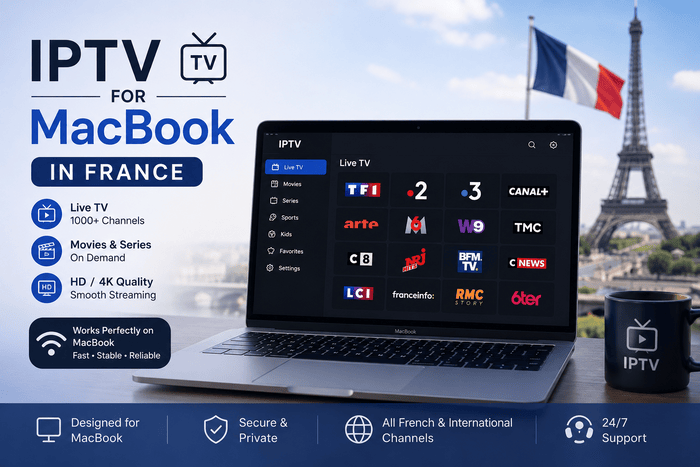
You already have nearly everything needed for a comfortable streaming setup. Your IPTV on a MacBook gives you a sharp display, capable speakers, reliable Wi-Fi and enough processing power for live television, films and on-demand video. You can watch at a desk, move into another room or connect the laptop to a large television when…
You already have nearly everything needed for a comfortable streaming setup. Your IPTV on a MacBook gives you a sharp display, capable speakers, reliable Wi-Fi and enough processing power for live television, films and on-demand video. You can watch at a desk, move into another room or connect the laptop to a large television when you want a more traditional viewing experience. Setting up IPTV for MacBook in France mainly comes down to choosing a player that suits your computer and login format. Smarters Player Lite can work on recent Apple Silicon models, IPTVX offers a polished Apple-style library, and VLC or IINA provides a simple route when you receive an M3U playlist. Your Mac model, macOS version and provider credentials determine which option feels easiest.
Can You Watch IPTV on a MacBook?
You can watch authorised IPTV media on a MacBook Air or MacBook Pro through a compatible macOS app, an M3U media player or a secure browser portal. Your account may arrive as an Xtream Codes login containing a server address, username and password, or as a long M3U link with an optional XMLTV programme-guide address. A media player does not automatically include television channels or viewing rights. Smarters Player Lite describes itself as a standalone player, while IPTVX states that users must supply their own digital media. You remain responsible for connecting content that you own or are legally entitled to access.
Why a MacBook Works Well for IPTV
A MacBook gives you more flexibility than a fixed television app. You can begin watching in the kitchen, continue at a desk and later connect to the living-room TV through HDMI or AirPlay. Headphones also let you follow a late match or film without disturbing anyone nearby. You can keep a small video window open while checking email or browsing the web, although demanding background jobs can affect playback. Large downloads, cloud backups and video calls all compete for bandwidth and system resources, so closing unnecessary work usually gives you a smoother live stream.
MacBook Air or MacBook Pro for IPTV
A MacBook Air is powerful enough for ordinary HD, Full HD and compatible 4K video. Its lighter design suits you when you move between rooms or travel frequently. Long matches and film sessions can consume battery quickly, especially at high brightness, so keeping the charger nearby makes sense. A MacBook Pro becomes more useful when you regularly connect a 4K television or external monitor. Models introduced from 2021 onward with built-in HDMI can support up to 4K at 60Hz through that port, while USB-C and Thunderbolt models can connect through a suitable adapter.
Can You Use an Older Intel MacBook?
You can still use many Intel MacBooks for IPTV, provided the player supports your macOS version. VLC runs on 64-bit Intel Macs as well as Apple Silicon, while IINA 1.4.4 supports Intel machines running macOS 10.15 or later. Dedicated App Store players can have stricter requirements. Smarters Player Lite requires macOS 12.5 or later and an Apple M1 chip or newer, so an Intel owner may see the listing but remain unable to install it. VLC and IINA are usually safer choices on older hardware.
Best IPTV App for MacBook in France
Smarters Player Lite gives you a familiar layout when you want live television, films and playlist categories inside one interface. IPTVX is better suited to you when presentation, EPG navigation, favourites and Apple-device synchronisation matter. VLC remains the most dependable fallback for direct M3U playback, while IINA offers a cleaner macOS-native alternative. You should choose according to your login details rather than relying on a generic “best app” claim. A beautiful player is not useful when it cannot accept your account format. Check whether you have Xtream Codes, M3U, M3U8 or a browser portal before downloading anything.
Smarters Player Lite for MacBook
Smarters Player Lite is available through the French App Store from WHMCS SMARTERS. The listing showed a 4.7 rating from around 211,000 reviews when checked in August 2026. The download is free, with a €1.99 premium purchase listed. You need an Apple Silicon Mac running macOS 12.5 or later. Apple also labels the app as designed for iPad and not verified for macOS, so you should expect an interface originally built for a touch device rather than a fully native desktop design. It remains a practical choice when you want a straightforward media library and common playlist support.
IPTVX for MacBook
IPTVX offers a more visual experience with live television, films, series, favourites, search, catch-up support and a grid-style EPG. It supports Xtream API, M3U, M3U8, Plex and SMB sources, alongside AirPlay 2, multiple playlists, audio-track selection and iCloud synchronisation. The French App Store showed a 4.3 rating from roughly 3,600 reviews during the August 2026 check. Some features require an in-app purchase, and Apple labels the Mac version as an iPad-designed app rather than a verified native macOS build. You may still prefer its polished organisation when you already use an iPhone, iPad or Apple TV.
VLC for Mac IPTV
VLC is ideal when you want to test an M3U link quickly without creating a new app account. The official VideoLAN download supports 64-bit Intel and Apple Silicon Macs. Version 3.0.23 was the stable macOS release displayed during the latest check. You paste the playlist address into the network-stream window and begin playback. VLC handles many video and audio formats, but its interface is not designed around live television. A large library containing thousands of channels, films and episodes can therefore feel harder to browse than a dedicated IPTV app.
IINA for IPTV on macOS
IINA is a free, open-source player created specifically for macOS. Version 1.4.4 was released on June 24, 2026, requiring macOS 12 or later on Apple Silicon and macOS 10.15 or later on Intel. The app supports online streams, Picture in Picture, trackpad gestures and familiar macOS controls. You may prefer IINA when VLC feels dated and you mainly want direct playback. It does not aim to replace a complete television portal with a detailed grid EPG, account categories and extensive favourites management, so IPTVX or another dedicated player will feel better for everyday channel browsing.
Should You Use a Browser Player?
A browser portal can be the quickest way to begin because you only enter a website address and login details. Safari, Chrome or Firefox can work when the portal has been designed for desktop use. You avoid installing another application and can save the page as a bookmark. Browser playback may become less comfortable during long sessions. Several open tabs can consume memory, notifications can interrupt full-screen viewing and some portals handle audio or video codecs poorly. A dedicated player usually gives you cleaner navigation when live television forms a regular part of your routine.
How to Install Smarters Player Lite
Open the Mac App Store and search for Smarters Player Lite. Check that WHMCS SMARTERS appears as the developer, because several applications use similar names. Choose Get, allow the installation to finish and open the player from Applications or Launchpad. When the Store displays an incompatibility warning, open the Apple menu and choose About Mac. Confirm that your computer uses an M1 or newer chip and runs at least macOS 12.5. An Intel MacBook cannot install the current WHMCS SMARTERS version, even if an older competitor guide says the app works on every Mac.
How to Add Xtream Codes on MacBook
Open your chosen player and select the Xtream Codes or API login option. Enter a profile name, server address, username and password exactly as supplied. Keep the original http:// or https:// prefix, and include any port number following the domain. Copied spaces are a common reason for failed login attempts. Check the beginning and end of every field before saving. Once the account connects, leave the app open while it imports live categories, programme data and any on-demand library connected to your authorised service.
How to Add an M3U Playlist
Select the M3U, remote playlist or playlist URL option and paste the complete address. Give the profile a simple name such as “MacBook” or “Home,” then add the XMLTV link when programme data has been supplied separately. Your M3U link may contain account credentials inside the address. Treat it like a password. Do not post it in a public forum, include it in a screenshot or save it in a document shared with other people.
How to Open an M3U Link in VLC
Open VLC, choose File and select Open Network. Paste the complete playlist URL and start playback. You can open the playlist window to browse the available entries after VLC has finished loading the source. VLC works especially well as a diagnostic tool. When a link fails in a dedicated app, opening the same authorised address in VLC helps you determine whether the problem lies with the account or the original player. A failure across both apps normally means the playlist or service needs checking.
How to Open a Stream in IINA
Open IINA and choose Open URL, then paste the direct media or playlist address. The player begins reading the stream after you confirm the entry. You can use Picture in Picture when you want a floating video window above other applications. IINA suits direct streams better than a huge television catalogue. When you want clearly separated live channels, films, series and programme schedules, a dedicated Xtream-compatible app offers more useful organisation.
How Long Does Setup Usually Take?
A normal MacBook IPTV setup can take around five to ten minutes when your app is compatible and your details are ready. The first login may take longer when a library contains many logos, categories and programme records. Avoid repeatedly closing the player while the first import runs. Let the categories appear, open a few unrelated streams and confirm that the guide has finished loading. Later launches are normally quicker because the local database already exists.
How to Use an EPG on MacBook
An Electronic Programme Guide tells you what is currently showing and what follows next. Xtream-based apps may find the guide automatically, while an M3U setup can require a separate XMLTV URL. IPTVX supports both automatic EPG discovery and manually entered guide addresses. Live channels can work even when the schedule remains empty. A blank guide normally points to missing data, an expired XMLTV address or channel names that do not match the guide records. Reinstalling the player cannot produce programme information that the source never provided.
How to Fix an EPG One Hour Out
A schedule appearing one hour early or late usually comes from a time-zone or daylight-saving mismatch. Open Date & Time in System Settings and confirm that your Mac uses automatic time with France selected as the region. When your system clock is correct, look for an EPG offset inside the player. Changing the offset is quicker than deleting a working profile and also preserves favourites, hidden groups and account preferences.
How to Use Picture in Picture
Picture in Picture lets you keep a small stream above Safari, Mail or another app. IINA supports native macOS Picture in Picture, while IPTVX also advertises multi-screen and floating-view features across supported Apple platforms. The feature works well when you want to follow news or sport while completing a light task. Large exports, software installations and video calls can use processing power or bandwidth in the background, so pause demanding work during an important live event.
How to Connect a MacBook to a Television
You can connect directly through a built-in HDMI port or use a USB-C or Thunderbolt adapter. Apple confirms that Mac computers with HDMI, Thunderbolt or USB-C can connect to compatible televisions and displays using the appropriate cable or adapter. Open Displays in System Settings after making the connection. You can mirror your MacBook or extend the desktop onto the television. A wired HDMI connection is usually the most reliable choice for a long match because video and sound travel directly to the screen without another wireless step.
How to Use AirPlay From a MacBook
AirPlay lets you mirror your Mac screen to an Apple TV or compatible television. Both devices should be connected to the same network, and you select the target screen through Control Centre or the display controls in macOS. Wireless mirroring is convenient when your television sits across the room. HDMI is often steadier for live sport because AirPlay asks Wi-Fi to receive the incoming stream and send the picture to another device at the same time.
HDMI or AirPlay for Live Sport
HDMI normally gives you lower delay and fewer wireless interruptions. You can connect the MacBook, choose the TV as the audio output and leave the computer on charge for the entire event. AirPlay is easier when you do not want a cable across the room. Use it when your router is close and the home network remains strong. A wired connection is worth trying when playback works on the MacBook but stutters after mirroring.
How to Fix a Cropped TV Picture
A picture extending beyond the edges of the television usually comes from overscan or an unsuitable resolution. Open Displays in System Settings, select the TV and try another scaling option. Apple also recommends checking overscan or underscan controls on the television itself. When the full image appears but sound is missing, open Sound settings and choose the HDMI television as the output device.
Real Fibre Coverage in France
France now has broad fibre availability. ARCEP reported 27.7 million fibre subscriptions at the end of March 2026, equal to 84% of all fixed internet subscriptions. Around 42.8 million of 45.1 million premises were eligible, giving national coverage close to 95%. National availability does not guarantee a strong Wi-Fi signal in your room. An Orange, Free, SFR or Bouygues router can receive several hundred megabits while a MacBook behind thick walls gets only a small share. Test beside the laptop during the evening, when the household network is busiest.
Recommended Internet Speed for MacBook IPTV
For practical use, aim for around 10 Mbps reaching your MacBook for HD, 15 to 20 Mbps for Full HD and at least 25 Mbps for stable 4K playback in a shared home. Extra headroom helps when phones, game consoles and other televisions are active. Consistency matters more than the fastest result from one test. A stable 30 Mbps connection can outperform a 500 Mbps service that regularly drops to a few megabits for several seconds.
Wi-Fi or Ethernet for MacBook Streaming
Wi-Fi is usually enough when you remain close to the router. The 5 GHz band can give you higher speed at shorter distances, while 2.4 GHz travels farther through walls but can be slower and more crowded. Many MacBooks do not include an Ethernet port, but you can add one through a USB-C or Thunderbolt adapter. A wired connection is worth using when live streams freeze at peak times or when you plan to send the picture to a television for several hours.
Why Fast Fibre Can Still Buffer
Your broadband package only describes the connection reaching the router. A content server may become overloaded, Wi-Fi can weaken briefly or a high-bitrate stream can demand more bandwidth than expected. Watch the pattern before changing random settings. One channel freezing while others work points towards the source. Every video app pausing points towards your local connection. One player failing while VLC works suggests software compatibility or playlist handling.
How to Fix Buffering on MacBook
Open a mainstream video service on the same laptop. When several platforms pause, restart the router, move closer to it and close large downloads, cloud backups or video calls. Try Ethernet when you have a compatible adapter. When only your IPTV player struggles, refresh the account and test several unrelated streams. Lowering playback from 4K to HD helps identify a bandwidth issue. Smooth HD combined with unstable 4K usually means the connection lacks enough consistent headroom.
Why Your MacBook Gets Warm
Video decoding, screen brightness, wireless networking and external display output all use power. A MacBook can become warm during a long 4K session, especially when other applications remain active. Place the laptop on a firm surface rather than a bed or sofa, keep ventilation areas clear and close software you are not using. Heat during video playback can be normal, but repeated slowing may mean too many jobs are running at once.
How to Reduce Battery Use
Lowering display brightness, closing unused browser tabs and choosing HD rather than 4K can extend battery life. Picture in Picture also lets you reduce the size of the active video while you complete another task. Connect the charger during a full match or long film, particularly when using AirPlay or an external screen. A power connection prevents the viewing session from ending at the most inconvenient moment.
Smarters Player Lite Will Not Install
Check your processor under About Mac. The official WHMCS SMARTERS listing requires an M1 or later chip and macOS 12.5 or newer. Intel users cannot install the current version from the French App Store. Use VLC or IINA rather than downloading an unknown copy from another website. Both players support Intel Macs, and their official publishers provide clear system requirements.
Xtream Codes Login Is Not Working
Enter the server address, username and password again manually. Check capital letters, port numbers and spaces. Do not replace http:// with https:// unless your provider supplied the secure address. A valid account can still fail when you choose the wrong login method. Ask whether your details are intended for Xtream Codes, M3U or a web portal before reinstalling the app.
M3U Playlist Is Not Loading
Compare the complete URL with the original activation message. Check the protocol, domain, port, username, password and final parameters. A copied line break or expired token can leave the library empty. Open the same authorised link in VLC. When VLC also fails, the account or source needs attention. When VLC works, remove and recreate the profile inside your preferred app.
Live Channels Work but Films Do Not
Some players organise live television and on-demand media differently. Refresh your account and confirm that the application supports the VOD format supplied by your provider. VLC can open media entries, but it does not provide the same polished series and film sections as a dedicated app. An Xtream-compatible player normally offers a clearer layout when on-demand viewing matters.
The App Keeps Closing
Update macOS and check for a newer player version before reinstalling anything. Restarting your Mac can clear temporary memory or database problems. A very large playlist can also slow an app or cause repeated crashes. Ask for a smaller library containing the languages and categories you use. A focused catalogue loads faster and is easier to navigate.
You Have Picture but No Sound
Try another stream and select a different audio track when one is available. A single source can use a format or language track that behaves differently from the rest. Open Sound in System Settings and confirm the correct output. Your Mac may be sending audio to internal speakers, Bluetooth headphones, an HDMI television or an AirPlay device.
You Have Sound but No Picture
Open the same authorised source in VLC or IINA. When one player works and another shows a black window, video decoding or app compatibility is the likely cause. When every player fails only after connecting to a television, test on the MacBook display. The cable, adapter, HDCP support or external-screen settings may be affecting playback. Apple notes that protected video requires an HDCP-compatible display.
Can You Watch IPTV in 4K on MacBook?
A recent MacBook can play compatible 4K media and send high-resolution video to an external display. MacBook Pro models with built-in HDMI from 2021 onward can support 4K at 60Hz through that port. A category labelled “4K” does not prove native Ultra HD quality. A clean Full HD source can look better than a heavily compressed stream carrying a 4K name. Your picture depends on original resolution, bitrate, codec, display and network stability.
Can You Multitask While Watching?
You can place a stream beside Safari, Mail or another light application. Picture in Picture works well when you want to follow a live event while completing a simple task. Pause large downloads, cloud synchronisation and video exports during important viewing. Your MacBook may have enough processing power, but those jobs can still consume bandwidth, memory and energy.
Is IPTV Legal in France?
IPTV is a legal delivery technology used by broadcasters, telecom operators and authorised streaming platforms. The legal issue depends on whether a service has permission to distribute the channels, films, series or sporting events it offers. ARCOM reported in January 2026 that 11% of French internet users said they used illicit IPTV services. The regulator also warns that unauthorised platforms can expose users to piracy, malware and stolen personal data. Use media you own or are legally entitled to access.
How to Choose a Reliable MacBook IPTV Service
Ask which Mac player and login format are supported before paying. A useful provider should tell you whether you will receive Xtream Codes, an M3U link or a web-player login. It should also recognise the difference between an Intel Mac and an Apple Silicon model. Run a trial on your own MacBook during the evening. Check channel changes, EPG accuracy, full-screen playback, sound tracks and external-display output. Real performance in your home tells you more than a long list of marketing claims.
Using 4K French IPTV on MacBook
The current 4K French IPTV website recommends Smarters Player Lite through the Mac App Store or VLC with an M3U link for Mac users. The site also advertises a free 24-hour trial and French-language support through WhatsApp, Telegram and email. Tell support whether you own an Intel or Apple Silicon Mac before activation. A message such as “MacBook Air M2 using Smarters Player Lite” or “Intel MacBook Pro using VLC and M3U” gives the team enough information to provide a relevant setup method.
Frequently Asked Questions
Does IPTV Work on MacBook Air?
You can watch authorised IPTV media on a MacBook Air through Smarters Player Lite, IPTVX, VLC, IINA or a browser portal. Apple Silicon models support the widest selection, while VLC and IINA remain useful for many Intel machines.
Does IPTV Work on MacBook Pro?
A MacBook Pro can use the same players as a MacBook Air. Recent models also make television connection easier through built-in HDMI or Thunderbolt.
What Is the Best IPTV App for MacBook?
Smarters Player Lite is a simple option on Apple Silicon. IPTVX gives you a richer library and EPG interface. VLC and IINA suit you better when you want direct M3U playback or own an Intel Mac.
Can You Install IPTV Smarters on an Intel Mac?
The current WHMCS SMARTERS App Store version requires an Apple M1 processor or newer. Intel users should choose VLC, IINA or a compatible browser portal.
Can You Use an M3U Playlist on Mac?
VLC, IINA and several dedicated players can open authorised M3U URLs. Keep the complete address private because account credentials may be embedded inside it.
Can You Use Xtream Codes on MacBook?
IPTVX and compatible Smarters players can accept a server address, username and password. Check the developer and system requirements before installation because many similarly named apps appear in search results.
Can You Add an EPG on MacBook?
A dedicated player can display programme information when your account includes valid EPG data. An M3U setup may require a separate XMLTV address.
Can You Watch Through Safari?
Safari can work when your provider supplies a compatible web portal. A raw M3U playlist is normally easier to use in VLC, IINA or a dedicated media app.
Can You Connect a MacBook to a TV?
You can connect through HDMI, a USB-C adapter or AirPlay. HDMI is normally more stable for long live events, while AirPlay gives you a cable-free option.
Why Does IPTV Buffer on MacBook?
Weak Wi-Fi, background downloads, an overloaded source, an expired account or one faulty channel can cause interruptions. Compare several streams and another video platform before deciding where the problem lies.
What Internet Speed Do You Need?
Aim for around 10 Mbps at the laptop for HD, 15 to 20 Mbps for Full HD and at least 25 Mbps for stable 4K viewing in a shared home. Consistency matters more than the highest number from one speed test.
Can You Watch in 4K on MacBook Air?
A compatible MacBook Air can play 4K media and send it to an external 4K screen. You still need a genuine Ultra HD source, sufficient bandwidth and a player that supports the video format.
Can One Account Work on MacBook and Smart TV?
You can often save an account on several devices, but simultaneous playback depends on the number of connections included with your plan. The current 4K French IPTV site says one connection is included and a second simultaneous connection is available as a paid option.
Is VLC Safe for MacBook IPTV?
VLC is a widely used open-source player when downloaded from the official VideoLAN website. Avoid unofficial download pages that may bundle unrelated software.
Can 4K French IPTV Help With MacBook Setup?
The website advertises French-language support and remote installation help. Share your Mac model, processor type and chosen player so the instructions match your computer.
Final Thoughts
Your MacBook gives you several practical ways to watch authorised internet television without adding another device. Smarters Player Lite offers an easy route on Apple Silicon, IPTVX gives you stronger library organisation, and VLC or IINA provides dependable M3U playback across a wider range of Macs. Start by identifying your processor, choose a player that accepts your login format and test the service on your normal network. Use HDMI when you want a stable big-screen picture, or AirPlay when convenience matters more than a cable. Once your app, playlist and connection work well together, your MacBook becomes a flexible viewing screen at home or while travelling.