
Set Up IPTV on Any Xbox in France: 2026 Walkthrough
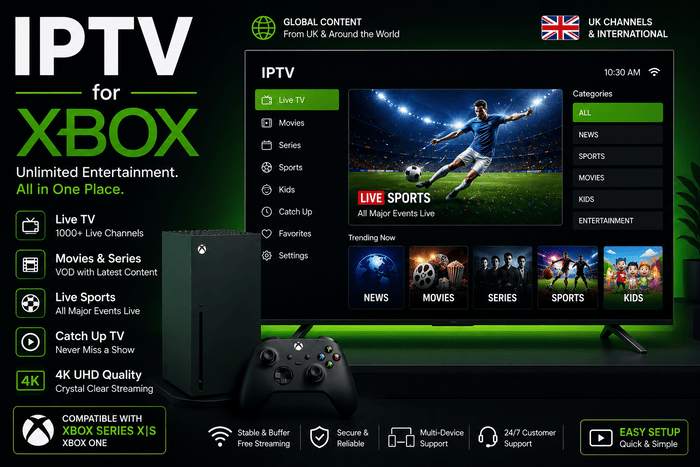
You may already use your IPTV for Xbox for gaming, Netflix, YouTube, Disney+ or 4K films. Using the same console for authorised IPTV viewing can save you from adding another streaming stick, power cable and remote beside your television. The IPTV setup on Xbox works differently from Fire TV or Android TV. The Microsoft Store…
You may already use your IPTV for Xbox for gaming, Netflix, YouTube, Disney+ or 4K films. Using the same console for authorised IPTV viewing can save you from adding another streaming stick, power cable and remote beside your television. The IPTV setup on Xbox works differently from Fire TV or Android TV. The Microsoft Store offers fewer specialist IPTV players, and app availability can vary between console models and regions. Microsoft Edge is usually the simplest method when your provider offers a secure web player. Kodi gives you more control when you receive an M3U playlist and XMLTV programme guide.
Can You Watch IPTV on Xbox in France?
You can watch authorised IPTV content on Xbox Series X, Xbox Series S and Xbox One through Microsoft Edge, Kodi or a compatible player from the Microsoft Store. Your console can open browser-based portals, read M3U playlists and display programme data when the selected player supports XMLTV. Your Xbox does not include an IPTV subscription by default. A browser or media player only gives you an interface for organising and playing content. You still need access to media that you own or have permission to watch.
Why Xbox Works Well as an IPTV Device
Your console is already connected to the main television, home network and sound system. Using it for IPTV avoids changing HDMI inputs or buying another device. The arrangement works particularly well in a bedroom, student flat or living room where the Xbox remains connected every day. Xbox Series X and Series S also have more than enough processing power for normal video streaming. Series X includes 16GB of GDDR6 memory, Gigabit Ethernet and native 4K capabilities. Series S has 10GB of GDDR6 memory, Gigabit Ethernet and a 1440p gaming target with 4K upscaling. Streaming problems are therefore more likely to come from the network, app or content source than from weak console hardware.
Xbox Series X, Series S or Xbox One
Xbox Series X is the strongest option when you already own a 4K television. It supports 4K output, Dolby Vision, Dolby Atmos and Gigabit Ethernet. You will not always notice a visible advantage over Series S when both consoles play the same Full HD stream, because the original source quality remains the main limitation. Series S is fully capable of HD, Full HD and compatible 4K video playback. Xbox One can also run entertainment apps and Microsoft Edge, although older hardware may take longer to load a very large playlist or programme guide. Search for your preferred player directly on your console because Store availability may differ between Xbox generations.
Best Way to Watch IPTV for Xbox
Microsoft Edge is usually the easiest route when your provider gives you access to a browser player. You open the portal, enter your login details and save the page as a favourite. No manual playlist or EPG configuration is required when the web player already manages the content. Kodi is better when you receive an M3U playlist and want a traditional channel guide. MyIPTV Player can also work when it appears in the Microsoft Store for your Xbox. Avoid choosing a long subscription around one particular app before confirming that the app is available on your console.
How to Watch IPTV Through Microsoft Edge
Open My Games & Apps, enter the Apps section and launch Microsoft Edge. Type the secure web-player address supplied with your account, enter your login details and open a channel. Save the portal to your favourites after confirming that playback works. A browser player should be tested carefully before daily use. Check whether you can enter full-screen mode, browse categories, search for programmes and move through menus with the controller. Some web portals are designed for desktop computers and may feel awkward on a television screen.
Making Browser Login Easier
Entering a long email address or password with an Xbox controller can become frustrating. Keep the original activation message open on your phone and check every character before signing in. A missing symbol, accidental capital letter or space at the end of a password can make a valid account appear inactive. A USB keyboard can make the first login much quicker. Once the account works, save the portal and avoid sharing screenshots containing your username, password or server information. Sign out after viewing when the Xbox is shared with other people.
How to Install MyIPTV Player on Xbox
Open the Microsoft Store on your console and search for MyIPTV Player. Install the app only when the Store clearly shows compatibility with your Xbox. Public Microsoft Store pages do not always guarantee that every app is available across every console model and French account. After installation, open the app settings and add a new remote playlist. Give the playlist a short name, enter the full M3U URL and add the EPG address when one has been supplied separately. Select the saved sources and allow the first refresh to finish.
How to Add an M3U Playlist
An M3U URL tells the player where to find the authorised streams and categories linked to your account. Enter the address exactly as supplied, including http:// or https://, the port number and any characters at the end of the link. Treat the URL like a password because it may contain your username and account token. Avoid sharing it in public messages, screenshots or online forums. A person with access to the complete link may be able to use your connection allowance.
How to Add an EPG
The Electronic Programme Guide displays current and upcoming programme information. Enter the XMLTV address inside the EPG field rather than the playlist field, then refresh the data. Live channels can load while the guide remains empty. That usually means the playlist works but the EPG address has expired, the programme data is missing or the channel identifiers do not match. Reinstalling the app cannot create schedule data that the source never supplied.
How to Install Kodi on Xbox
Open the Microsoft Store, search for Kodi and verify the publisher before selecting Install. Kodi is an open-source media centre rather than an IPTV subscription service. Once installed, it can read an M3U playlist through the PVR IPTV Simple Client add-on. Kodi takes longer to configure than a web portal but gives you a more traditional television experience. You can organise channel groups, browse an EPG and create a cleaner interface for regular live viewing.
How to Configure PVR IPTV Simple Client
Open Kodi and go to Settings, followed by Add-ons, Install from repository and PVR clients. Find PVR IPTV Simple Client, install it and open the configuration area. Enter your M3U URL in the playlist section and the XMLTV address in the EPG section. Save the settings, enable the client and restart Kodi. The television section should appear after the playlist and programme data have been imported.
Why You Might Prefer Kodi
Kodi gives you more control over channel groups, numbering, logos and programme information. It can feel closer to a conventional television receiver when your playlist and EPG are organised properly. The setup process contains more menus than a browser portal. Microsoft Edge is better when you want the fastest possible login. Kodi is more suitable when you enjoy organising channels and want a detailed guide.
Can You Use Xtream Codes on Xbox?
Some browser portals and Microsoft Store players accept an Xtream Codes login containing a server address, username and password. Kodi’s standard PVR IPTV Simple Client mainly works with M3U and XMLTV links. Ask your provider for an M3U URL when you plan to use Kodi. Avoid entering your credentials into an unknown online converter because doing so can expose your account. French IPTV can provide the server information or compatible playlist format needed for the device you choose.
Do You Need Developer Mode?
You do not need Developer Mode for Microsoft Edge, Kodi or approved Store applications. A normal retail Xbox already supports browsers and entertainment apps. Avoid tutorials asking you to install unverified packages or change security settings. When an app is not available in the French Microsoft Store, use another supported method rather than forcing software designed for Windows or Android onto the console.
Using a Controller, Remote or Keyboard
The Xbox controller works well for opening apps and moving through large menu buttons. It can feel less natural when navigating a long EPG or typing detailed account information. A compatible media remote can make everyday viewing feel more like using a television box. A small USB keyboard is also useful during setup, especially when entering long M3U links or complex passwords.
Real Fibre Coverage in France
France has extensive fibre availability. By the end of the first quarter of 2026, ARCEP reported around 27.7 million fibre subscriptions, representing roughly 84% of all fixed internet connections. Approximately 42.8 million premises out of 45.1 million were eligible for fibre, giving national coverage close to 95%. Strong national coverage does not guarantee good Wi-Fi beside your Xbox. Your Livebox, Freebox, Bbox or SFR Box may receive several hundred megabits while the console behind two walls receives only a small percentage of that speed. Test the network near the Xbox during the evening when other devices are active.
Recommended Internet Speed for Xbox IPTV
For practical home viewing, aim for around 10 Mbps reaching the Xbox for HD, 15 to 20 Mbps for Full HD and at least 25 Mbps for stable 4K playback. Leave extra capacity when several people are using the internet at the same time. Consistency matters more than the highest speed shown by one test. A stable 30 Mbps connection can give you a better experience than a 500 Mbps connection that repeatedly falls to a very low speed.
How Much Data Does Streaming Use?
Video streaming can use a significant amount of data when your Xbox is connected through a 4G or 5G hotspot. ARCOM estimates that one hour of video may use around 1GB in standard definition, up to 3GB in HD and more than 7GB in 4K. A football match watched in Ultra HD can therefore use a large part of a limited mobile data allowance. Fibre and fixed broadband plans usually remove that concern, but you should reduce the quality when using a capped mobile connection.
Ethernet or Wi-Fi?
Ethernet is the better choice when your router or mesh unit is close to the console. Xbox Series X and Series S include Gigabit Ethernet, which reduces interference and sudden wireless speed drops. Wi-Fi can work well when the console is in the same room as the router. Avoid placing the Xbox inside a closed metal cabinet. A mesh unit near the television can also help, especially when you connect the final distance to the console with a short Ethernet cable.
Why Game Downloads Cause Buffering
A large game update can use most of your available bandwidth. When a stream starts pausing, open the Xbox download queue and suspend active games or updates. The same issue can occur when other household devices are uploading files, streaming 4K video or downloading software. Your console may have powerful hardware while receiving too little network capacity for smooth live playback.
Can Xbox Play IPTV in 4K?
Xbox Series X supports 4K video output, while Series S can stream compatible video and upscale output to 4K. You also need a 4K television, a suitable HDMI connection, stable bandwidth and a source genuinely delivered in Ultra HD. A category labelled “4K” does not prove native resolution. A clean Full HD feed can look better than an aggressively compressed stream carrying a 4K name.
How to Improve Picture Quality
Open the Xbox display settings and select the resolution matching your television. Choose 1080p for a Full HD screen or 4K UHD for a compatible display. When colours look washed out or the screen briefly loses the signal, test playback with HDR disabled. Avoid setting television sharpness too high because extra edge enhancement cannot restore detail missing from the source.
How to Fix IPTV Buffering on Xbox
Open YouTube, Netflix or another established app on the same console. When several services pause, restart the Xbox, reboot the router, suspend game downloads and test Ethernet. When one channel freezes but other channels work, the original feed is the more likely cause. Buffering across every category may come from weak Wi-Fi, an overloaded server, an expired account or too many simultaneous connections.
Why Fast Broadband Can Still Buffer
Your advertised broadband speed represents only one part of the connection. A server can become overloaded, the stream bitrate can fluctuate or wireless interference can interrupt the signal briefly. Look for a pattern before changing random settings. One failing channel usually points to the source. Every streaming app struggling points to your broadband or home network. One player failing while another works suggests an app or compatibility problem.
Microsoft Edge Player Not Loading
Reload the page and open another website to confirm that Edge has internet access. Close the browser completely, restart it and sign in again. If the portal loads, but the video is black, the website may be using a codec or function of the browser that Xbox Edge isn’t good at handling. Edge does not handle well. Ask your provider for another portal or an M3U link that can be used in Kodi.
M3U Playlist Not Loading
Compare the complete playlist address with the original activation message. Check the protocol, domain, port number and final parameters. Do not replace http:// with https:// unless your provider specifically gives you the secure version. When the link fails on every device, contact support. When it works elsewhere, delete the Xbox playlist and add it again.
EPG Not Working
Confirm that the XMLTV URL has been entered in the EPG section. Refresh the data, restart the player and allow the first import to complete. An empty guide usually means that no programme data has been supplied or the channel identifiers do not match. Listings appearing one hour early or late often point to the French time zone or daylight-saving offset.
IPTV App Keeps Closing
Restart your Xbox, install pending system updates and check the Microsoft Store for a newer player version. Reinstall the app only after a normal restart fails. A very large playlist can place additional pressure on an app. Ask for a smaller list containing only the countries and categories you use. A focused playlist normally loads faster and is easier to navigate.
Picture but No Sound
Try another channel and select a different audio track when the player offers one. A single stream may use an audio format that behaves differently from the rest. Test the television speakers before blaming the account when a soundbar or receiver is connected. Xbox Series X|S supports common Dolby and DTS formats, but the external audio equipment must also accept the selected output.
Sound but No Picture
Try another channel, restart the player and temporarily lower the console resolution. Connect the Xbox directly to the television when the HDMI signal passes through an older receiver or switch. When the same source works in Kodi but fails in Edge, the browser player is likely responsible. When only one channel fails in every app, the source itself needs to be checked.
Xbox or Fire TV Stick for IPTV
Xbox gives you powerful hardware, Ethernet and one fewer device under the television. It works well when the console is already connected and you only watch live television occasionally. A Fire TV Stick offers a wider choice of television-focused apps and a simpler remote for family members. Xbox is convenient when you already use the console every evening. A dedicated streaming device may feel more comfortable when IPTV is your main viewing method.
Is IPTV Legal in France?
IPTV technology is legal and is used by official broadcasters, internet providers and streaming platforms. Legality depends on whether the service has permission to distribute the channels, films, series and sports offered. ARCOM has warned that illegal IPTV services can expose users to copyright violations, malware and data theft. Use content you are authorised to watch and avoid offers promising every premium channel for an unrealistic price.
Using 4K French IPTV on Xbox
4K French IPTV presents its service for French-speaking viewers and offers setup assistance for several devices. The site promotes a 24-hour trial, French-language support and quick activation. Tell support whether you use Xbox Series X, Series S or Xbox One before activation. Mention whether you prefer Microsoft Edge, MyIPTV Player or Kodi. A message such as “Xbox Series S with Kodi and M3U” gives support enough information to send the correct setup details.
Frequently Asked Questions
Does IPTV Work on Xbox Series X?
Yes, you can use authorised IPTV services on Xbox Series X through Microsoft Edge, Kodi or a compatible Store player. Series X supports 4K output and Gigabit Ethernet, although final quality depends on the source and your connection.
Can You Use IPTV on Xbox Series S?
Yes, Series S supports entertainment apps, Microsoft Edge and compatible media players. Its hardware is more than capable of HD, Full HD and compatible 4K video playback.
Does IPTV Work on Xbox One?
Xbox One can use Microsoft Edge and supported Store apps. Kodi may also be available depending on the console version and region. Large playlists may take longer to load than on Series X|S.
What Is the Best IPTV App for Xbox?
Kodi is a strong choice when you have an M3U playlist and XMLTV guide. Microsoft Edge is easier when your service provides a web player. MyIPTV Player can work when it appears as compatible in your console Store.
Is MyIPTV Player Available on Every Xbox?
No. Availability may vary between consoles, accounts and regions. Search directly through the Microsoft Store on your Xbox before choosing the app.
Can You Install IPTV Smarters on Xbox?
Some Store apps use similar names, but a Windows or Android version is not automatically compatible with Xbox. Check the developer and supported devices carefully. Use Edge or Kodi when no reliable version appears.
Can You Use an M3U Playlist on Xbox?
Yes, Kodi PVR IPTV Simple Client and compatible Store players can read an authorised M3U playlist. Keep the full link private because it may contain your account details.
Can You Add an EPG on Xbox?
Yes, Kodi and some Store players can use an XMLTV guide URL. The EPG cannot display programmes when no schedule data is supplied.
Do You Need Xbox Game Pass?
You do not need Game Pass merely to use Microsoft Edge or a normal entertainment app. Your media service may still require its own subscription.
Can You Watch IPTV While Playing a Game?
A normal Xbox setup cannot display a full-screen game and a full-screen live stream at the same time. Launching a game will normally suspend or close the video player.
Why Does IPTV Buffer During Football Matches?
The cause may be weak Wi-Fi, an active game download, a busy source server, too many connected devices or one unstable stream. Compare several channels and another video app before deciding where the problem lies.
What Speed Do You Need for 4K IPTV?
Aim for at least 25 Mbps reaching the console, with more capacity when several devices share the connection. Ethernet remains preferable to fast but unstable Wi-Fi.
Can You Use One Subscription on Two Xbox Consoles?
The answer depends on the number of simultaneous connections included with your plan. One connection may work on several devices at separate times but normally cannot play on two consoles at once.
Is IPTV on Xbox Legal?
The console and player are legal. You must use a provider that has permission to distribute the content being offered.
Can 4K French IPTV Help With Xbox Setup?
Contact support with your Xbox model and preferred setup method. Mention Edge, MyIPTV Player or Kodi so the instructions match the screen in front of you.
Final Thoughts
Your Xbox can work as a practical IPTV player without Developer Mode, unofficial software or another device under the television. Microsoft Edge offers the quickest setup when a secure web portal is available. MyIPTV Player can handle an M3U playlist when it appears in your Store, while Kodi gives you a fuller channel and EPG experience. Choose the method matching your account, use Ethernet whenever possible and test playback during the hours when you normally watch. A powerful console cannot fix a poor source, but a reliable playlist, well-configured player and stable connection can give you a simple everyday viewing experience.